Mostrando postagens com marcador layout. Mostrar todas as postagens

10 maio 2014

Featured Designer e Diagramação de Fotolivros: Capas

Hi all, today I am the featured designer at the very great blog Dcontent from Dunia Nalu. See my interview and like the Dcontent page here
View my Interview here 

Hoje fiquei super honrada com o convite da Dunia Nalu do blog Dcontent para dar uma entrevista sobre meus papéis estampados que crio para o digital scrapbooking! Quem quiser saber mais detalhes, veja aqui


Meu mais novo pack de papéis, o Gardenia:

São papéis com efeitos delicados de pintura e suave textura, perfeito para os fundos de fotolivro ou mesmo para as capas de fotolivros. Veja um layout exemplo:

Diagramação de Fotolivros: CAPAS

Eu gosto muito de utilizar técnicas mistas de sobreposição e efeitos em camadas com máscaras para criar algumas páginas e capas de fotolivros:


Para aprimorar as técnicas de efeitos de pintura em layouts eu fiz um curso de sketch usando o Photoshop com a artista e designer Cilenia Curtis 
 Veja como transformei uma foto em um desenho aqui:

E, usando a mesma técnica fiz a capa do fotolivro de um casal amigo:


E recentemente, fiz um layout usando como fundo o meu papel da coleção Painted Emotions e um template da designer Anna Aspnes. O pequeno fotógrafo abaixo é o nosso sobrinho-neto!

Happy Scrapping!!!

Silke

07 novembro 2012

Photoshop Tutorial Inner Shadow and MyMemories Winner

Hi all!
I love to add to my digital scrapbooking kits some cute elements! Sometimes I draw them by myself or other times I bought them from other designers like ThatGirl, at SugarHillCo. This little drawing here below is a modified version from my Flying Toys, Commercial Use,  that I sell at here at Digidesignresort 

How to add Inner Shadow Style and Color

If you had some difficult to understand how to add the layer style effect "inner shadow" to the template parts in my earlier post, let me show you the visual explanation:

Go to the layer palettes and then double click on the layer and the layer style window will show up.

 This inner shadow layer style you can copy and past to next layer in a very easy way: with the right mouse click on the small icon on the right side with a fx icon. Choose copy layer style and then go to the next layer and using the same process, with right mouse button, click on fx icon, paste the layer style. This way you only have to adjust the color and the size of the inner shadow, in order to fit it to your object.


How to change the color of the inner shadow

Blend Mode: choose Multiply and then click on the small color icon (here it is green) and with the eyedropper tool point to the color of your object and then make it darker in the color option window.


Remember: small objects, use small size, bigger objects, use larger size. Angle: normally is 120. Some designers love to change the direction of the light, but you have to do this for all elements!!!

If you are happy with your layer style, you have also the option to save it, in order to use it later on other tasks.
To save it, simple click on New Style (se image above) and then name it and save it. Easy peasy lemon squeezy!! LOL 

My Memories software Suit Winner:

First and bevor I tell you who is the lucky person that won the software, I want to say that I sometimes are very sad with those people that comes to the blog, and did not do a one-minute stop (or less) to comment! Even if I ask! I had more the 800 page-views and only 10 (!!!)  comments.

So nobody wants to win this fabulous software?? I cannot believe!!!  I spent hours of my time sitting here and telling you secrets of techniques that I already know, and that I share with you with love...

This software is a shortcut to do fabulous digital scrapbooking Photobooks and Layouts. It is also a great way to make a video presentation of all your layouts/ photos. On My Memories site you will found helpful video tutorials, ton of freebies to test the program and many many wonderful designs to create hybrid gifts or other compositions.
Andrea 

I will show you my last Photobook that I created for MyMemories. If you have the software, you only need to load it, add photos and send it to print (ther is also a free print promo). Suggestion: This is a very special gift that you can do for your relatives!!


See this Photobook here

To coordinate with this Photobook I did a complete collection, that I called Andrea, and you can find it at DDR ou at MM.
Andrea Alpha:

 Andrea Papers

 Andrea Quick Pages

My Memories Suite Digital Scrapbooking Software details see here

value 

$39.97 USD - get $10 off - use my code!



Participants of the drawing:

1- Dree Getz
2- Momma Laura
3- Ephémere
4- Bev
5- GinaT
6- Kristie
7- Ann
8- Happy Screen

And here is the winner:

Kristie, I will write you to receive the prize! Congrats!

Happy Scrappings and have a nice November!!

Silke



04 julho 2012

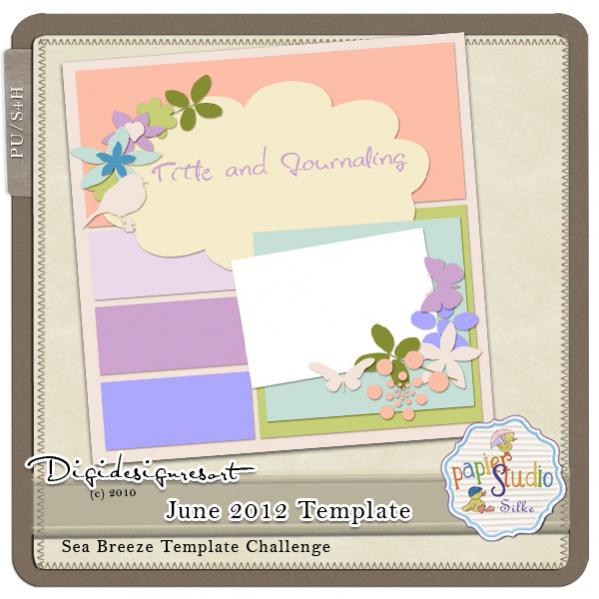
GSO June Template Challenge and new template freebie.

Hi dear Readers

Time fly so fast...  July is here!!
I have a new template challenge for you at DDR.
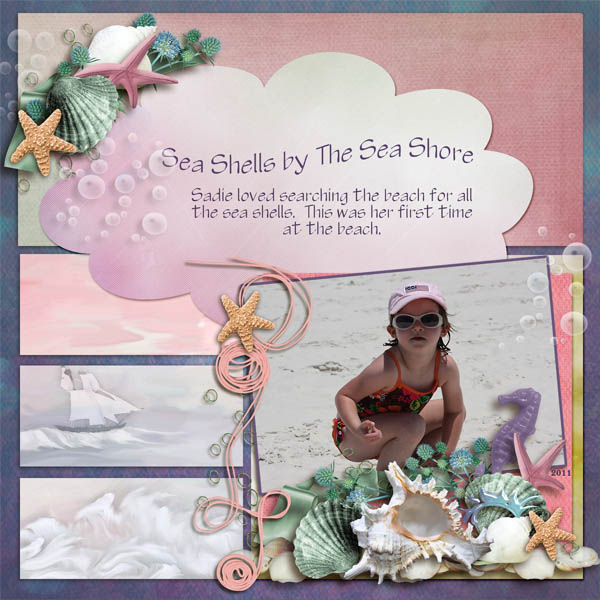
But first let me show you some of the wonderful layouts done with my JUNE template:

Olá, minhas leitoras (e leitores)! Abaixo os layouts de destaque feitos com meu template de junho e no final deste post vocês podem baixar o layout template de Julho. Mostre seu layout, eu vou adorar!

Please visit the gallery to see all layouts.

It was not easy to pick only 4! Thank you all for taking part!!
Here are the GSO (Gallery Stand Outs) chosen by me, please visit the link and leave them some love:
Sea Shells by PamR


Fabulous Moments by Plume

Tea Party by justbnsharon


Töpfermarkt by Esha


And here comes the JULY TEMPLATE:


Layouts for inspiration:
by Shari


by Elaine


by me:


Happy Scrappings!
Feliz Scrap!

Silke

23 fevereiro 2011

Layouts and new products

Dear Readers

I'm enjoying doing layouts! This is just the beginning, and I will do some more. Little Katharina is turning ONE! wow!And I'm also loving to go out in my garden, around my neighborhood and take some pictures of flowers with my canon XTi.
I photographed and extracted a set of flowers that I bought at the market:

01 fevereiro 2011

Layered Template Freebie

Olá
Se vc gosta de template para layout e gostam mais ainda quando é free, visite a DigiDesignResort, no forum do February Template Challenge e baixe o template e depois mostre na galeria para eu comentar! Vou Adorar!!

Hi, all.
If you like to use templates for layouts and love even more when it is free, visit the DigiDesgnResort and look for the February Template Challenge in the
Forum >>Cocktail Hour (Challenges) >> Sea Breeze (Template Challenge)

download the template and then show it in the gallery for me to comment!
I will adore!

Happy Scrappings! Feliz Scrap!

Silke

02 setembro 2010

New World of Digital Painting with PS CS5

Queridas Leitoras
um resumo bem curtinho para que vocês, que me acompanham aqui, saberem do que eu vou falar em inglês.
O Photoshop CS5 vem com uma nova ferramenta de pintar completamente reformulada e que vai mudar o nosso jeito de pintar no Photoshop.
Basicamente tem duas novidades: a ferramenta pincel chamada BRISTEL BRUSH e a segunda é a ferramenta pincel MIX - chamada MIXER BRUSH TOOL. Como eu estou fazendo um curso em inglês com um professor da Academia Digital Art, o post abaixo será todo em inglês e sem tradução.


Hi my dear Readers.

First of all - lets talk about digital painting. I'm doing a course at Digital Art Academy.
This is the Digital Painting With CS5 course:
You have to turn in assignments on their schedule and it is necessary to have some experience in digital painting and also of the PS interface.
And you will need some extra time to learn all these different and new features of the bristle brushes.

BUT if you don't have any extra time and want to know a little bit more about the new bristle brushes, then you can do like I did:
I bought a brush set from a fabulous painter called John Derry: John Derry's Artists' Brushes for Photoshop CS5 http://pixlart.blogspot.com/

John's Artists' Brushes for Photoshop CS5 are available at an introductory price of $19.95.
You will get 6 video tutorials, John's Cloning Layer action, Canvas Pattern, and Brush Preset files. It is that really worth! Watch this video:


And let's talk about Digital Scrapbooking Layouts:
I received a beautiful kit from my dear scrap friend Janet - from the exclusive PS I love You collection at DDR.
And I also did a CU pack for this Collection:
Wow - yes, finally I'm doing layouts again!
Click on the images below to see the cretids on my gallery!

Here below is Janet's layout with her kit, my paper and the template for the September challenge:

And here below I did my secon layout and used a kit from Maria Designs.
The template is from me and I did it for the September Layout Challenge at the DigiDesignResort.
This COLLAB - SECRET GARDEN - is yours free when you do all 6 challenges - see the challenge rules.
Thank your for visiting my blog!

Silke

11 outubro 2009

Extracting a Photo and adding a Radial Blur.effect - in English & em portugues

Hoje vou mostrar a vocês como extrair uma foto e dar um efeito muito interessante.
Today I will show you how to extract and add an radial blur effect to a photo:
Abra a foto no Photoshop e aumente ela até 300% no zoom. Esse detalhe é MUITO importante, porque assim vc extrai a foto sem aqueles recortes duros com angulos pontudos e evidentemente feios.
Depois do zoom a 300% vc usa a ferramenta de seleção polygonal, defina 1px de feather, e vai clicando lentamente e contornando em passos relativamentes pequenos a imagem.
Atenção: faça sempre por etapas, fechando a seleção a cada 15 cliques para ir limpando/deletando as partes extraidas de sua imagem.

Open the photo in PS and zoom it to 300%. This is important in order to avoid uggly edges. Use polygonal lasso tool with 1px feather. Keep short clicks and close your selection many times, and delete these parts. don't try to do everything at once, because you can loose you hard work!

Depois de finalizada, a sua imagem deve parecer assim:
When you are finished the image will look so, like mine here:
Agora selecione essa imagem (use ctrl e clique no ícone da layer)
Select the image
Em Selection (no Menu) escolha SELECT>modify>FEATHER e defina um valor em torno de 50% - 70% (experimente) e depois volte em SELECT e invert selection.
SELECT>modify>Feather it with 50%-70% - and than invert selection
E agora em Filter > BLUR> RADIAL BLUR com os settings abaixo
Go to FILTER> BLUR> RADIAL BLUR, with the following settings:

Com isso vc vai ter um efeito de sombra dinamicamente rodada assim:
This will be the result of this radial blur, see here below:
E aqui está o layout que fiz com essa imagem:
And here is my layout:

Thanks for visiting my blog! Obrigada por visitar meu blog!
Comentários são bem vindos e me animam a continuar dando dicas para vcs!!
Leave a comment, so I will feel that I'm not loosing my time, writing these tips and tricks in both languages!!! LOL!!

Happy Scrapping

Silke

08 julho 2009

DigiDesignResort fabulous Newsletter Freebie + a Freebie!!

Natural Breeze is a FREE collaboration kit from the designers of Digidesignresort - just for you! - Sign up for our newsletter and you get this fabulous kit delivered immediately and absolutely free. Click the image to go to the DDR site!
Here is a layout that I did with my son using quick page from my new mini kit (coming soon):
Curves and white papers you can find in my stores!!
This super hiper cute layout below here was done by my dear CT Elaine, using Friendship Kit by Horsedream Designs and some of my CU products> clipping mask and curves (please leave her some love!):


Here are my new brushes, great to use with my Soft Art Action:
From 11th to 18th of July go to my shop at DDR and take advantage of my great Vacation Deal:
If you buy one of my actions at DDR you will receive a surprise soft art brush pack as bonus!
The surprise bonus pack is revealed here below:
And if you haven't seen my action yet, here is a small taste what you can do with this fabulous and easy handling Phtoshop tool:
link expired.
Thanks for visiting my blog and have a great weekend!! I'm going out -traveling - to our house in the mountains with a great rain forest!!!
Will be back on Sunday!
Silke

Blog Widget by LinkWithin